

From a small university networking project in France to one of the world’s most popular media players, VLC has proved that free, open-source software can make a global impact.
Imagine a media player that can play almost any video file, works across multiple operating systems, and doesn’t bombard you with advertisements. For millions of people around the world, that player is VLC Media Player.
Recognized by its iconic orange traffic-cone logo, VLC has become a familiar name on computers and smartphones. But its journey began with a simple challenge at a French university. Over the years, it grew into a worldwide open-source project, reached more than 6 billion downloads by January 2025, and continued exploring new technologies such as AI-powered subtitles.
So, how did VLC become such a success?
How It All Started: A University Project in France
The story of VLC began in 1996 at École Centrale Paris, a French engineering school. A group of students wanted to improve their campus network and demonstrate the benefits of a faster network by streaming television and video content across it.
Their work became known as the VideoLAN Project. The initial goal was to transmit and play video over a network, rather than simply create another desktop media player.
The project developed further in 1998, when work began on a more modular version of the software. This laid the foundation for the VLC Media Player familiar to users today.
A major turning point arrived on February 1, 2001, when the project was released under the GNU General Public License (GPL). This allowed developers around the world to access, modify and contribute to the software.
What began as a campus experiment was now an international open-source project. Source: VideoLAN’s official history.
The Growth of VLC Media Player
VLC’s evolution has been shaped by community contributions, expanding platform support and continuous improvements.
- 1996: The original VideoLAN campus networking project began.
- 1998: Development of the VLC software continued with a more modular design.
- 2001: VideoLAN released the software under an open-source licence.
- 2009: VLC 1.0 was released, marking an important milestone in the project’s development.
- 2018: VLC 3.0, known as “Vetinari,” introduced major improvements, including Chromecast support and enhanced playback capabilities.
- January 2025: VLC celebrated more than 6 billion downloads worldwide and demonstrated experimental AI-powered subtitle technology at CES 2025.
- August 2026: Reports announced that VLC had crossed 7 billion downloads.
This journey demonstrates how a volunteer-driven project can continue growing for decades without following the traditional commercial software model. Sources: VideoLAN documentation and TechCrunch.
Why Is VLC So Popular?
VLC has remained popular because it focuses on a straightforward promise: helping people play their media without unnecessary complications.
1. Support for Many Media Formats
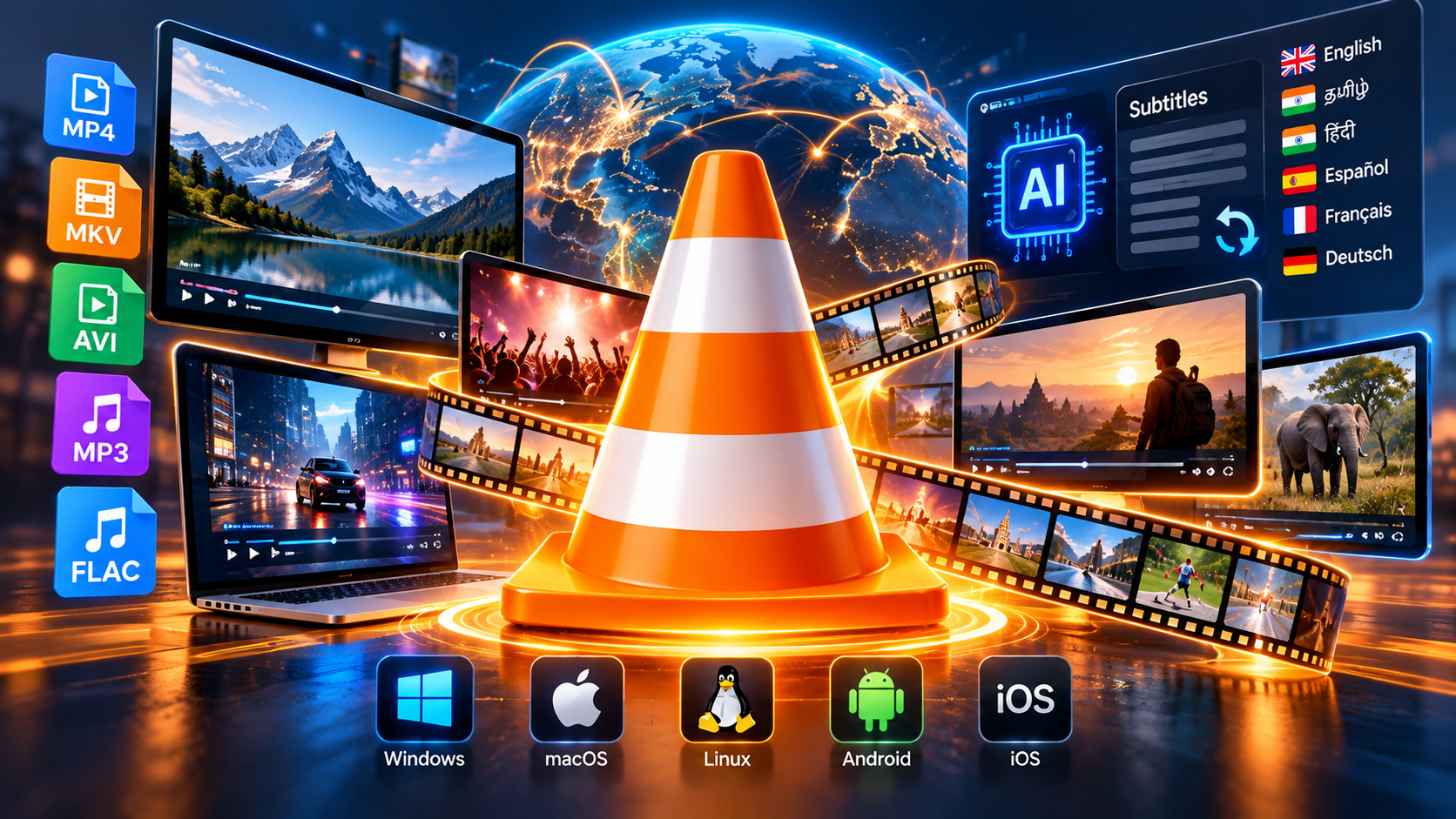
One of VLC’s biggest advantages is its broad format support. It can play many common audio and video files, including MP4, MKV, AVI, MP3 and FLAC, as well as supported DVD, CD and network-streaming content.
Users often do not need to hunt for separate codec packs to play common media files.
2. Free and Open-Source Software
VLC is free to download and use. Its source code is also available under open-source licences, allowing developers to study and contribute to the project.
This approach helps keep the software accessible to students, home users, educators and professionals.
3. No Built-In Advertising
Unlike many free applications that depend on advertising, the official VLC Media Player does not rely on built-in ads to fund its development.
VideoLAN is a nonprofit organization supported by donations and community contributions. Its focus on free software has helped build trust among users.
4. Available Across Different Platforms
VLC is available for major desktop and mobile platforms, including Windows, macOS, Linux, Android and iOS. Availability and features can vary by platform.
This cross-platform support means users can enjoy familiar media playback tools on different devices.
5. Useful Playback Features
Beyond opening video files, VLC offers features such as subtitle support, playback-speed controls, audio and video adjustments, playlist management and network-stream playback.
These tools make it useful for more than watching movies. Students can review recorded lectures, teachers can play educational videos, and professionals can inspect media files without switching between several applications.
VLC Crosses 6 Billion Downloads
In January 2025, VideoLAN announced that VLC had surpassed 6 billion downloads worldwide.
The milestone reflected years of development and contributions from a global community. VLC’s popularity was not built solely through commercial advertising or paid subscriptions. Its accessibility, flexibility and long-standing reputation helped it spread from one generation of computer users to the next.
It is worth remembering that download totals are not the same as the number of unique active users. One person may download VLC on multiple devices or reinstall it when changing computers.
Nevertheless, crossing billions of downloads highlights the enormous reach of the project.
By August 2026, reports indicated that VLC had passed another milestone: 7 billion downloads. Source: TechCrunch.
VLC and the Future of AI-Powered Subtitles
VLC has also explored how artificial intelligence could improve the viewing experience.
At CES 2025, VideoLAN demonstrated an AI-powered subtitle system designed to generate subtitles and translate them into different languages. The demonstration featured open-source AI models running locally on a user’s device.
The idea is especially interesting because local processing can reduce dependence on cloud services and internet connectivity. It may also help users keep their media and processing on their own devices.
Potential benefits include:
- Automatically generating subtitles for supported video content.
- Translating subtitles to make content accessible to more viewers.
- Supporting people who prefer reading captions or have hearing difficulties.
- Reducing the need to upload private videos to external services when processing is performed locally.
However, a technology demonstration should not be confused with a feature that is already available to every user. The timing and availability of these capabilities depend on implementation and future releases.
If widely deployed, local AI subtitle tools could make VLC even more useful for education, accessibility and multilingual viewing.
Who Develops VLC?
VLC is developed through VideoLAN, a French nonprofit organization that supports free and open-source multimedia software.
The project is powered by contributors from different countries and backgrounds. They help with programming, testing, bug fixes, documentation, translations and community support.
Jean-Baptiste Kempf has been one of the prominent figures in VLC’s development and leadership. However, VLC’s success is the result of a wider community rather than the work of a single individual.
This collaborative model allows people to contribute improvements and helps the project evolve as operating systems, media formats and user expectations change.
Why VLC Still Matters in the Age of Streaming
Streaming platforms have transformed how people watch entertainment, but local media playback remains important.
VLC is useful when users want to:
- Play downloaded movies and personal video files.
- Watch recorded classes and educational content.
- Open media formats that another player cannot handle.
- Adjust playback speed while studying or reviewing footage.
- Manage local music and video collections.
- Play supported network streams and external media.
It also offers an option for people who prefer not to depend on a streaming subscription for every viewing experience.
VLC does not replace every streaming service or professional editing application. Instead, it performs its core job reliably: playing a wide variety of media across supported devices.
How to Download VLC Safely
If you want to install VLC, use the official VideoLAN website rather than unfamiliar download portals.
Official website: https://www.videolan.org/vlc/
Choose the version intended for your operating system and follow the installation instructions. Avoid unofficial installers that may bundle unwanted software or imitate the VLC brand.
Keeping software updated can also help you benefit from bug fixes, compatibility improvements and security updates.
Conclusion: A Small Project With a Worldwide Impact
VLC Media Player’s journey is a remarkable example of what open-source collaboration can achieve. From a campus networking project in France in 1996 to billions of downloads around the world, it has grown by focusing on accessibility, flexibility and user choice.
Its continued development shows that software does not always need subscriptions, advertising or a large commercial business model to become widely used.
As media formats and technologies evolve, VLC’s challenge will be to keep playback reliable while adapting to new devices and features. Its exploration of AI-powered subtitles is one example of how the project may continue to develop.
The familiar orange cone has become more than an application icon. For many users, it represents a simple idea: useful software can be powerful, widely available and free.
Do you still use VLC Media Player? Which feature do you find most useful? Share your thoughts in the comments!